
Customer Evidence, Implementation and FAQs
Evaluate the workflow, plan a controlled pilot and understand how Speach fits your training ecosystem.
Customer evidence from real deployments
Merck: digitizing procedures with an approval workflow
Merck’s published customer story describes departmental content creators turning expertise and procedures into video training, with peer review before publication. It illustrates the value of a repeatable creation-and-approval process—not a claim that AI alone validates training. Read the Merck customer story.
Colgate: building a repeatable approach across sites
Colgate’s published story describes piloting Speach at key sites while addressing IT security, connectivity, templates and content-creation processes. Teams use visual instructions and accessible learning to share shop-floor knowledge. Read the Colgate customer story.
These examples describe customer deployments of Speach; they are not performance guarantees or evidence that every customer used every current AI feature.
Implementation: start with a controlled pilot
- Scope the use case. Select representative SOPs, learner roles and business objectives. Agree who owns the source, training content, reviews and release decisions.
- Assess security and validation. Bring Quality, IT and learning stakeholders together to define access, data handling, intended use, risk assessment and required evidence. Confirm any Veeva or LMS integration needs.
- Configure and test. Set up the agreed workflow. Generate sample training, check it against approved sources and test role-based paths, assessments, approvals and a source-version change.
- Approve the pilot. Review accuracy, usability, traceability and acceptance criteria. Complete your organization’s required validation and release activities before production use.
- Roll out and maintain. Enable authors and reviewers, expand by team or site and establish a process for periodic review and SOP updates.
Implementation timing depends on configuration, integration and validation scope. Request a demo to discuss a pilot for your environment.
AI SOP training software FAQs
What can I upload to create SOP training?
Start with approved SOPs, work instructions and supporting documents such as PDFs, Word files and presentations. Confirm supported formats and document requirements for your workflow during the demo. Keep the approved source and its version identifiable throughout the process.
Does AI-generated training require human review?
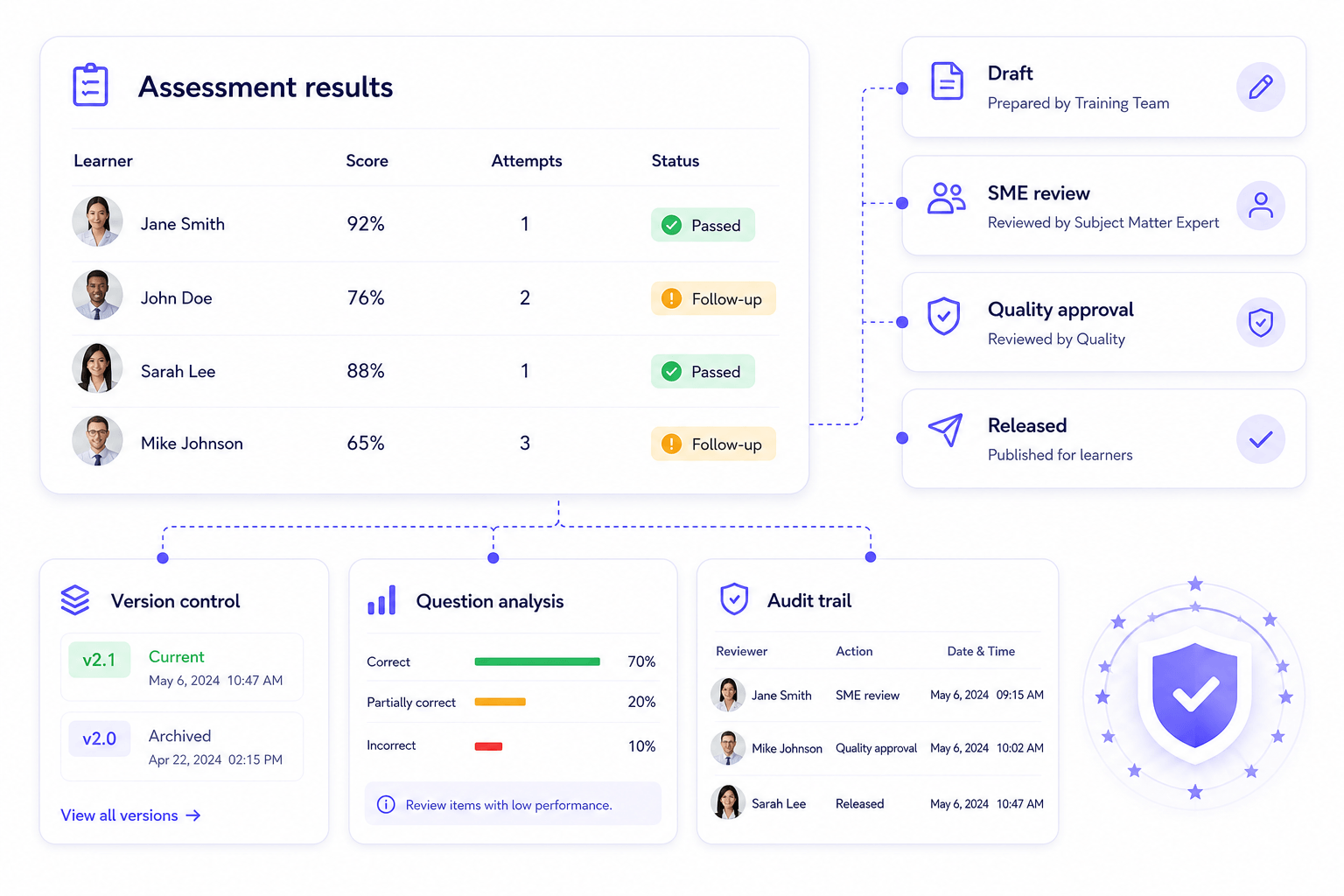
Yes. Treat generated text, narration, visuals and assessment answers as draft content. Your subject-matter experts and quality reviewers should verify accuracy, completeness and procedural alignment before approving release.
How do role-based and delta training differ?
Role-based training tailors content to an audience’s responsibilities. Delta training focuses on changes between procedure versions. Your training impact assessment determines which people need an update and whether targeted or full retraining is appropriate.
What happens when an SOP changes?
Review the training linked to the affected procedure, assess the change and update the relevant learning assets. Use version history and the agreed approval workflow before releasing the revision. For connected environments, confirm the update triggers and responsibilities in your integration design.
Is Speach automatically 21 CFR Part 11 compliant for my use?
No software purchase automatically establishes compliance for an organization’s intended use. Speach supports readiness through capabilities such as access controls, audit trails, electronic signatures and review workflows. Your organization remains responsible for assessing applicable requirements, configuring controls, maintaining procedures and completing validation.
Does Speach replace Veeva QualityDocs or our LMS?
The Veeva integration is designed to complement your controlled document and training ecosystem. Veeva remains the controlled source while Speach transforms approved content into reviewable training. Confirm content delivery, assignment, approval and record ownership for your deployment. Explore the Veeva QualityDocs integration.
Can we create videos, assessments and job aids from the same SOP?
Yes. Speach can turn source content into multiple learning formats, including video explanations, knowledge checks and practical job aids. Review each format against the approved procedure, especially where safety-critical steps or decisions are involved.
What should Security and Quality review before launch?
Review authentication, permissions, data handling, integration scope and available security documentation. Agree intended use, risk-based testing, acceptance criteria and validation responsibilities. Start with the Trust Center and the security overview.
Related AI SOP training guides
- How to Turn SOPs into Role-Based Skills Employees Can Execute
- Why SOPs Fail, Why Skills Win in Pharma
See your SOP-to-training workflow in action
Discuss your source documents, roles, review requirements and integration needs with Speach.