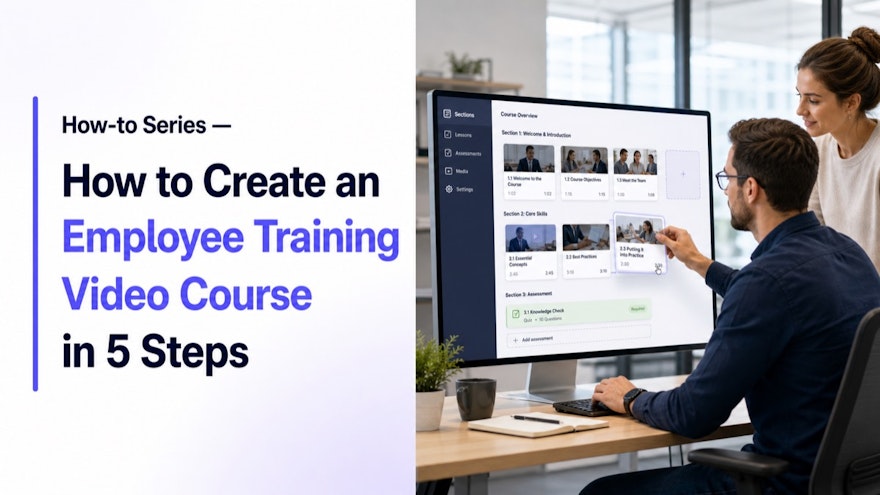
An employee training video course should build capability, not simply package several videos into a playlist. Start with the performance employees must deliver, organize the minimum knowledge and practice required, then use video where demonstration adds value. The five-step method below helps L&D teams and subject-matter experts create a focused course that can be maintained as work changes.
Step 1: define the performance and audience
Identify the business problem, affected roles, prerequisites, working conditions and observable outcome. Separate awareness from qualification. A new operator may need explanation, demonstration, guided practice and assessment; an experienced employee receiving a small change may need only targeted delta learning. Establish a baseline such as ramp time, errors, help requests or confidence.
Step 2: build a task-centered course map
Organize modules around the sequence of work or meaningful decisions, not the order of source documents. Each module should answer a learner question and lead toward performance. Keep policy context concise, link to controlled references and identify where practice or supervisor coaching occurs. Remove content that is interesting but not necessary for the outcome.
Step 3: produce focused video modules
Use screen capture for software, demonstration for physical tasks, expert explanation for judgment and scenarios for decisions. Give every video a descriptive title and one principal objective. Add captions, transcripts and chapters. AI-supported training video creation can reduce production work, but technical owners must validate the result.
Step 4: add retrieval, practice and assessment
Ask learners to recall, choose, explain or demonstrate. Use feedback that explains why an answer matters. For high-risk work, qualification may require observed performance against defined criteria. Provide an approved checklist or job aid when employees need support later in the workflow. Training and point-of-work guidance should derive from the same source.
Step 5: release, measure and improve
Pilot with representative learners and managers. Confirm navigation, device access, language, time and supervisor expectations. Track completion, but also measure the closest operational outcome. Maintain source versions, owners and review triggers so a process change updates every affected module, translation and assessment.
Practical focus
Course architecture is an editorial decision. Use a short orientation, task modules that stand alone for later retrieval and a clear qualification path. This lets employees revisit one step without replaying the entire course. It also reduces change cost: when one procedure step changes, the team can update the affected module and targeted assessment instead of recreating everything.
Review the method with the people who perform the work, their manager and the appropriate technical or control owners. Capture questions, uncertainty and environmental constraints. Those signals reveal whether the solution needs better content, more practice, different access or a process change.
Before you scale
Run the method with one representative process, one role and a measurable baseline. Test retrieval and use in the real environment, not only during review. Document ownership, approval, access, language and change triggers. Confirm that employee feedback reaches the responsible process owner and that obsolete guidance can be withdrawn quickly.
Scale only after the pilot demonstrates both usefulness and control. Recheck devices, permissions, terminology, local variation, assessment and support at each new site or audience. The goal is a repeatable capability that remains trustworthy as content volume grows—not a campaign that produces assets faster than the organization can maintain them.
Implementation playbook
Write the capability statement
Describe what each role must do and under which conditions. Define the accountable owner, evidence and review point before expansion.
Map the learning path
Sequence prerequisites, explanations, demonstrations, practice and assessment. Define the accountable owner, evidence and review point before expansion.
Create the modules
Use the format best suited to each behavior and keep videos focused. Define the accountable owner, evidence and review point before expansion.
Validate the content
Involve process owners, control functions and representative users. Define the accountable owner, evidence and review point before expansion.
Launch with managers
Clarify time, coaching, qualification and job-site support. Define the accountable owner, evidence and review point before expansion.
Measure transfer
Compare performance with the baseline and maintain content after change. Define the accountable owner, evidence and review point before expansion.
Employees can find the current guidance, understand critical decisions and demonstrate the required behavior. Owners can trace each asset to its source, audience and approval. Workplace feedback produces governed improvement, and approved changes reach every affected format without leaving outdated alternatives behind.
Design the course for maintenance from day one
Record the governing source, owner and review trigger for every module. Reuse shared modules across role paths instead of copying them. Keep variable specifications and contact information in controlled fields when possible. This design reduces the number of assets affected by routine change.,Create a module map showing prerequisites, source references, audience, language, assessment and qualification relationships. When one process changes, the map makes impact analysis faster and supports targeted delta training. It also reveals duplicate explanations that should be consolidated.,Plan the manager experience. Supervisors need to know when employees may train, what practice or observation is required, how failed assessments are handled and when the person is authorized to work independently. A course without workplace reinforcement often ends at completion.
Apply it in the operating system
Give learners a clear route before, during and after the course. Explain prerequisites and purpose, make progress and completion visible, provide help during practice and show where approved support lives after qualification. Collect feedback at the task moment, not only in an end-of-course survey. Managers should receive the information needed to coach and authorize work.
Evidence and governance checklist
Record the problem, audience, approved source, owner, review path and expected performance evidence before production begins. During the pilot, collect observations and employee questions as well as usage data. After release, compare the chosen operational measure with its baseline and investigate alternative causes before claiming impact.
Maintain a traceable relationship among the source, published formats, translations, assessments and qualification records. Define the events that trigger review, including process, equipment, system, regulatory and organizational changes. Reliable maintenance is part of content quality: employees should never have to choose between multiple versions of an operational answer.
Operational readiness review
Before wider release, confirm that the content works under normal production pressure. Test the exact device, authentication, language, noise, protective equipment and network conditions. Make help and escalation visible. Verify that supervisors understand how the resource fits with practice, assessment and authorization, and that employees know which source is controlling when uncertainty remains.
Schedule a short post-launch review with frontline users and the process owner. Examine failed searches, repeated questions, assessment patterns and the operational measure. Decide whether to improve the content, change access, add coaching or correct the underlying process. Document the decision and the person responsible for follow-through.
Questions for the final review
Can the intended employee find this resource without knowing its internal title? Is every important action visible or stated, and is every warning placed before the behavior it governs? Does the resource distinguish mandatory controls from helpful explanation? Can reviewers trace it to a current owner and source? Is the response to an exception explicit? Does the success measure test workplace performance rather than exposure alone? A clear answer to these questions is a stronger release criterion than production polish.
Frequently asked questions
How many videos should a course contain?
Only the modules needed for the outcome; favor task-based units that remain useful after completion.
How long should each module be?
Keep it focused on one objective and make key steps easy to retrieve through chapters.
Should quizzes be included?
Use assessments when they test important decisions or knowledge, and demonstration for physical or judgment-heavy skills.
Can one course serve every role?
Usually not. Reuse shared modules, then create role-specific paths and qualification requirements.
What should be measured?
Time to proficiency, errors, rework, support demand, confidence and the operational indicator connected to the original problem.
Sources and further reading
These authoritative sources support the regulatory, workforce, accessibility or training context. Apply them through your organization’s approved processes.
Turn training into confident execution
Speach transforms procedures and expert knowledge into role-based training, videos, workflows, assessments and job aids. Explore knowledge execution or request a demonstration.