
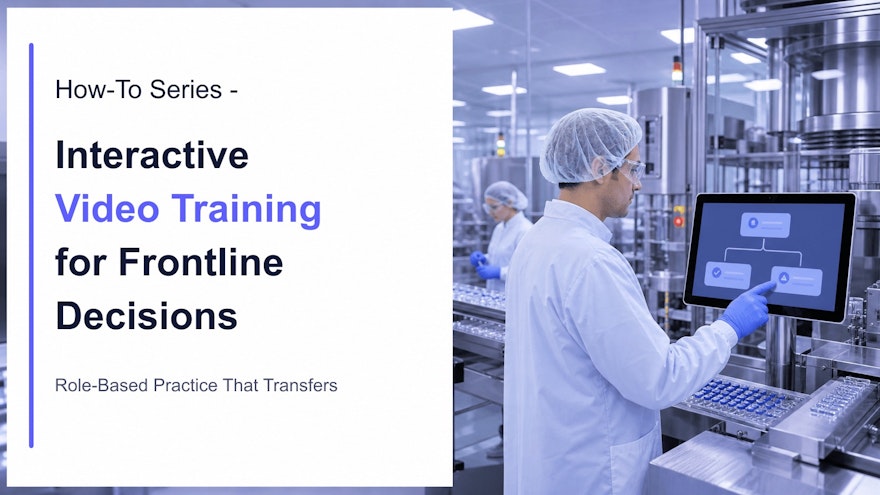
Why interaction matters for knowledge execution
A polished video can explain and demonstrate work, but watching alone does not reveal whether an employee can recognize a deviation, select the correct response or explain when to stop. Interactive video training adds moments where the learner must retrieve knowledge and make a choice before seeing the answer.
That shift—from presentation to response—is valuable because knowledge execution depends on decisions. A production operator may need to distinguish an acceptable component from a defect. A laboratory analyst must respond to an out-of-range observation. A supervisor decides whether a task can continue. A quality reviewer determines what evidence is missing. Each role sees the same process through a different responsibility.
Research supports active elements without justifying exaggerated universal claims. In a workplace experiment, employees who answered questions during a required training video remembered more the following day than employees who only watched. Structured discussion also improved memory. The result shows that purposeful retrieval can strengthen a workplace video; it does not mean every quiz or click improves performance.
Interactive video can also provide a safe place to encounter consequences. A learner can choose the wrong escalation path, receive feedback and try again before the decision occurs in production. Recent research in health-professions education suggests branching video can support knowledge, confidence and decision practice, although results depend on the population, task and comparison. Organizations should validate outcomes in their own context.
This article owns the design of interactions, branching and feedback inside video. The frontline microlearning guide owns the broader case for short point-of-need learning, while the visual SOP guide owns evidence-based visual procedure design.
When to use interactive video—and when not to
Use interactive video when seeing a situation matters and the learner must interpret it. Strong use cases include:
- identifying a quality defect, unsafe condition or documentation error;
- choosing the next step when a parameter falls outside a limit;
- practicing conversations, investigations or escalation;
- selecting role-specific actions inside a shared process;
- checking understanding between sections of a complex demonstration;
- refreshing an infrequent task before execution;
- diagnosing a system or equipment state from visible evidence.
Do not force interaction into every video. A short demonstration of one stable movement may need controls for pause and replay, not a branching story. A searchable reference may be more efficient than a course. Physical competence cannot be established solely by clicking an answer.
Design rule: every interaction should correspond to an objective, a common error or an execution risk. If removing it would not change the learning evidence, it is probably decoration.
Seven steps to design interactive video training
1. Start with an observable workplace decision
Do not begin with “make this video engaging.” Define what the role must notice and do. Replace “understand line clearance” with “identify the three conditions that make a line unready and select the correct escalation.” The observable decision determines the scene, response options and evidence.
Document the correct action, accepted variations, critical errors and source reference. In regulated work, include who has authority to decide and what must be recorded.
2. Map the role and moment of need
A performer, supervisor and quality approver may require different paths. Decide whether the asset prepares someone before work, refreshes knowledge at the workstation, supports remediation or tests readiness. The same media can be reused, but the decisions and evidence should remain role-specific.
Role-based design reduces noise. An operator should not navigate approval details that do not change their action. An approver should not receive an operator-only demonstration as proof of review competence. Speach’s role-based training approach connects source knowledge to the right responsibility.
3. Build a decision map before writing the script
Sketch the entry condition, decision points, options, consequences, feedback and re-entry path. Keep the first version small. A realistic two-level branch is usually more maintainable than a sprawling simulation with dozens of endings.
| Decision-map element | Question to answer |
|---|---|
| Trigger | What visible or reported condition creates the decision? |
| Role | Who is responsible and what authority do they have? |
| Options | Which actions are plausible in the real workplace? |
| Consequence | What happens after each choice? |
| Feedback | Which rule or observation explains the result? |
| Recovery | Can the learner retry, remediate or escalate? |
| Evidence | What should be recorded about the response? |
4. Film the evidence the learner needs
The camera should reveal the information required for the decision. Use a wide view for context, an over-the-shoulder perspective for workflow and a close-up for condition or technique. Hold the image long enough to inspect it. If the learner must compare two states, present them in a way that does not depend on memory alone.
Protect technical fidelity. Equipment, settings, labels, PPE and physical actions must reflect the approved process. Avoid stock footage for technical judgment. AI-generated media can support explanation and storytelling, but it must not fabricate a regulated workplace condition and present it as authoritative.
5. Write plausible choices and explanatory feedback
A strong distractor reflects a real misconception, shortcut or role-boundary error. Obviously absurd options measure test-taking rather than judgment. Avoid “all of the above” when employees must choose a concrete action at work.
Feedback should name the relevant cue, explain the rule and state the consequence. For example: “Stop the task because the status label is missing. The equipment cannot be assumed ready; notify the supervisor and follow the approved status-control process.” This teaches more than “Incorrect—try again.”
Do not show unsafe actions in a way that could be copied without a clear correction. When the consequence is serious, pause, label the error and immediately demonstrate the approved response.
6. Add retrieval, confidence and practice
Place a question after a coherent segment, not every few seconds. Frequent interruptions can fragment a physical demonstration. Use an interaction when the learner has enough evidence to decide and the answer advances the objective.
Confidence ratings can uncover dangerous guessing. A correct answer with low confidence may need reinforcement; a wrong answer with high confidence signals a misconception. After feedback, offer another example that tests the same rule in a different context.
For physical work, follow video decisions with supervised practice. The NIST Training Within Industry Job Instruction approach combines preparation, demonstration, learner trial and follow-up. Interactive media supports that sequence; it does not replace the trial.
7. Validate with representative users
Ask subject-matter experts to verify accuracy and ask target employees to navigate without coaching. Observe whether they notice the intended cue, understand the choices and interpret the feedback. Record dead ends, ambiguous wording, accessibility barriers and points where the story becomes confusing.
Run a technical check on mobile devices, workstation displays and permitted browsers. Test captions, keyboard navigation, focus order, replay, audio alternatives and screen-reader labels. Confirm behavior under limited bandwidth or offline conditions if frontline delivery requires it.
Five interaction patterns that support execution
1. Notice-and-select
Pause on a workstation, product, document or interface and ask the learner to select the relevant condition. Hotspots work when position matters; labeled options work when accessibility or small screens make precise pointing difficult.
2. Predict the next step
Stop before the expert acts and ask what should happen next. This turns a demonstration into retrieval practice. Use it for sequence, prerequisite checks and escalation—not for arbitrary suspense.
3. Choose a response and see the consequence
Branch to a short consequence clip, then explain the underlying rule. This is useful for quality conversations, safety decisions, investigations and customer interactions. Keep consequences credible and avoid exaggerated drama.
4. Role-based path
Let employees enter as operator, supervisor, quality reviewer or another relevant role. Reuse common context while assigning different decisions. Record the selected role and keep assessment rules aligned with actual responsibility.
5. Diagnose and remediate
Use an early question to identify the gap, then route the learner to a precise explanation or demonstration. A correct response can move forward; an error triggers targeted practice. Do not let pretesting bypass mandatory content where regulation or company policy requires it.
Controls for interactive video in regulated training
Interaction increases instructional value and governance complexity. Treat scripts, branches, answer logic, feedback, captions and translations as parts of the controlled asset. A small change to one choice may affect the meaning of several paths.
- Source traceability: link each decision and feedback statement to the current approved source.
- Version control: identify which branches, languages and assessments belong to each release.
- Review and approval: involve process owners, quality and other required reviewers.
- Identity and records: define authentication, completion, score, attempts, signatures and retention.
- Access: assign the asset by role, site, equipment or qualification where appropriate.
- Change impact: identify affected scenes, logic, questions, feedback and translations when the source changes.
- Obsolescence: remove outdated paths from workplace access while preserving required history.
For U.S. safety training, OSHA expects required information to be delivered in a language and vocabulary workers understand and evaluates whether employees can apply it to workplace conditions. Multilingual narration and captions help, but localization also requires understandable terminology, examples and feedback.
Use SCORM or xAPI integrations according to the enterprise learning architecture and evidence needed. Completion and final score may be sufficient for one asset; decision-level events, attempts and path data may be useful for another. Collect only data that has a defined learning, quality or operational purpose.
How to measure interactive video training
Interaction generates more data than passive viewing, but more events do not automatically create insight. Define a measurement chain from design to execution.
| Layer | Useful measures | What it can reveal |
|---|---|---|
| Access | Starts, completion, device, language | Delivery or availability barriers |
| Interaction | Choices, attempts, replay, branch path | Misconceptions and confusing moments |
| Learning | Decision accuracy, confidence, delayed check | Knowledge and judgment change |
| Readiness | Observed practice, time to qualification | Ability to perform under supervision |
| Execution | Critical errors, correct escalation, support demand | Application in the work environment |
| Operations | First-time quality, rework, deviations | Possible business contribution |
Look for patterns, not vanity metrics. A high completion rate with repeated failure at one branch may indicate an unclear procedure, poor interface, weak prerequisite or real process problem. A branch that everyone passes may be well taught—or too obvious to provide useful evidence.
Do not claim that training caused an operational improvement without considering equipment, staffing, process and supervision changes. Combine learning analytics with observations, quality data and employee feedback. Use findings to improve the instruction and, when appropriate, the underlying process.
Common interactive-video mistakes
- Clicking mistaken for learning: compulsory hotspots without a cognitive purpose add friction.
- Too many branches: complexity makes content hard to review, localize and maintain.
- Trivia questions: recalling a sentence may not represent the workplace decision.
- Weak feedback: “correct” and “incorrect” do not explain the governing rule.
- One path for every role: irrelevant decisions dilute responsibility.
- Video-only qualification: digital responses cannot prove every physical skill.
- Inaccessible interactions: tiny hotspots, missing captions and mouse-only controls exclude users.
- Uncontrolled updates: a corrected source with an old branch creates conflicting instruction.
The most effective design is often compact: one authentic situation, one important decision, one clear explanation and one opportunity to apply the rule again. Scale only after that pattern works.
Frequently asked questions
What is interactive video training?
Interactive video training asks learners to respond during a video through decisions, questions, hotspots, navigation or practice prompts, then provides feedback or a relevant next path.
When should a training video use branching?
Use branching when the job requires meaningful judgment and different choices lead to different consequences. Do not add branches when one clear sequence is sufficient.
Can interactive video qualify an employee for a task?
It can support knowledge and decision practice, but physical, safety-critical or GxP tasks may also require supervised practice, observation and approval appropriate to risk.
How many decisions should an interactive video include?
Include only decisions tied to an objective or execution risk. One high-value decision can be enough for a short asset.
How is interactive video training measured?
Track decision accuracy, attempts, confidence, branch patterns and delayed performance, then connect learning data with workplace measures such as errors, escalation and time to competence.
Sources and further reading
- Kok et al.: science-of-learning techniques in workplace digital training
- Jing, Szpunar and Schacter: interpolated testing in video learning
- Lacey et al.: interactive branched video and decision-making
- NIST: Training Within Industry Job Instruction
- OSHA: training workers can understand and apply
Turn passive content into role-based practice
Speach helps enterprises transform SOPs, policies and expert knowledge into interactive videos, branching scenarios, assessments and digital job aids—with multilingual delivery, version control, audit trails and enterprise integrations. Request a demo to connect learning interactions with frontline execution.