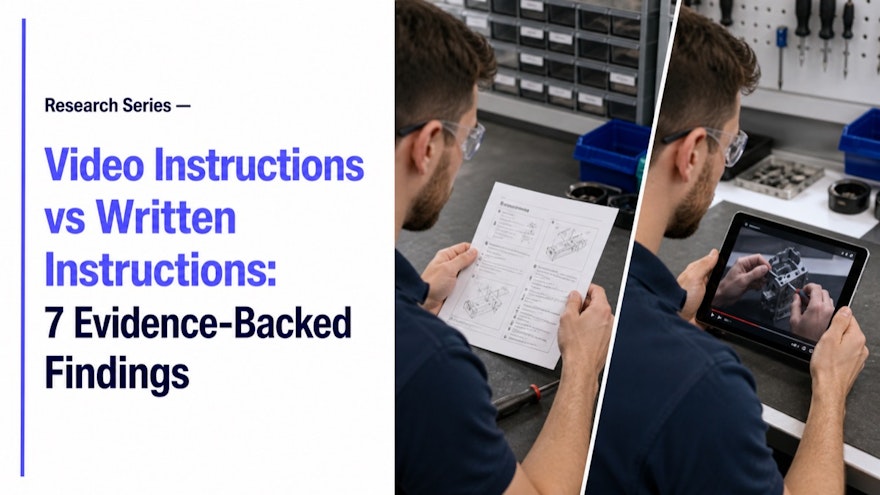
Video is not automatically better than text. The strongest format depends on the task, learner, environment and need for precision. Recent research nevertheless shows where video-based and multimedia instruction can improve knowledge or skill outcomes—and where other guidance can outperform it. These seven findings replace simplistic retention claims with evidence and practical design decisions for workplace training.
Finding 1: effects vary by outcome and domain
A 2024 Scientific Reports meta-analysis covering 40 health-education studies found significant or moderate effects for video-based learning across knowledge, skills and attitudes, including a moderate effect on medical skills development. The result supports video as a useful tool, not a universal guarantee; the authors also noted study limitations and risk of bias.
Apply this principle to a representative task, then verify it with the people who perform and own the work. Record the decision, evidence and next review trigger before expanding it.
Finding 2: demonstration can match live teaching
A 2025 systematic review and meta-analysis in dental education compared recorded video with live demonstrations. The relevant lesson for workplace design is that replayable demonstration can support procedural learning while improving consistency and access. Transfer to industrial tasks still needs local testing and observed performance.
Apply this principle to a representative task, then verify it with the people who perform and own the work. Record the decision, evidence and next review trigger before expanding it.
Finding 3: video can outperform text for some explanations
A 2024 experimental study with 102 secondary students reported significantly greater learning gains for explanatory-video conditions than text-only material. The context is education, not manufacturing, so use the direction cautiously. Video is most plausible where movement, change over time or spatial relationships matter.
Apply this principle to a representative task, then verify it with the people who perform and own the work. Record the decision, evidence and next review trigger before expanding it.
Finding 4: dynamic guidance is not always fastest
A 2025 manufacturing study comparing laser projection, video and pictorial guidance in a VR assembly task found laser guidance produced faster completion than video, while accuracy was similar across modalities. This is an important counterexample: the best instruction may be a point-of-action overlay, image or checklist rather than a separate video.
Apply this principle to a representative task, then verify it with the people who perform and own the work. Record the decision, evidence and next review trigger before expanding it.
Finding 5: microlearning helps when scope is disciplined
Recent systematic reviews describe microlearning as short, focused learning designed for just-in-time acquisition. The benefit comes from task-sized design and accessibility, not arbitrary duration. A fragmented library without sequence, practice or governance can increase search burden.
Apply this principle to a representative task, then verify it with the people who perform and own the work. Record the decision, evidence and next review trigger before expanding it.
Finding 6: accessibility improves utility
W3C explains that captions convey speech and meaningful sounds and support people with hearing, cognitive or learning needs, as well as noisy environments. Transcripts also make spoken knowledge searchable. Accessibility is therefore both an inclusion requirement and a retrieval feature.
Apply this principle to a representative task, then verify it with the people who perform and own the work. Record the decision, evidence and next review trigger before expanding it.
Finding 7: active practice still matters
OSHA guidance emphasizes participatory adult learning rather than one-way presentation. Video should support questions, decisions, teach-back or demonstration. For a high-risk task, assess performance against defined criteria. Exposure to media is not evidence of competence.
Apply this principle to a representative task, then verify it with the people who perform and own the work. Record the decision, evidence and next review trigger before expanding it.
Practical application
Choose the medium from the information problem. Use text for exact values, searchable rules and short references. Use images for static orientation or visual acceptance criteria. Use video for motion, timing and expert demonstration. Use interactive workflows for branching, required confirmation and evidence. Often the best solution combines a short demonstration with controlled written steps and a checklist in the flow of work.
Set a baseline and write the expected mechanism before launch: what should people do differently, and why should that behavior change the selected outcome? Review the result with users, managers and appropriate control owners. This protects against confusing engagement with effectiveness.
Implementation and governance checklist
Before production, record the problem, audience, approved source, owner, review path, access conditions and expected performance evidence. During the pilot, observe representative employees in the real environment. Collect questions, failed searches and points of hesitation as well as usage data. Decide whether the answer is better content, more practice, different access or a process change.
Before scaling, confirm source traceability, versioning, translation, accessibility, permissions and withdrawal of obsolete guidance. Define the events that trigger review and the manager’s role in practice or qualification. Recheck those assumptions for every new site, language or role. Growth should preserve trust and usefulness rather than multiply content faster than it can be maintained.
Implementation playbook
Define the behavior
Name what the employee must perform or decide. Confirm ownership and success evidence.
Diagnose the information need
Determine whether precision, motion, orientation, branching or practice is missing. Confirm ownership and success evidence.
Select the minimum medium
Use text, image, video, workflow or a deliberate combination. Confirm ownership and success evidence.
Control cognitive load
Remove decorative detail and place warnings where action occurs. Confirm ownership and success evidence.
Test in context
Compare formats with representative users and realistic conditions. Confirm ownership and success evidence.
Measure transfer
Use performance, time, errors and confidence, then revise. Confirm ownership and success evidence.
Employees can find the current guidance, explain critical choices and demonstrate performance. Owners can trace every asset to its source and audience. Feedback reaches the process owner, approved changes update affected formats and outdated alternatives disappear from use.
Apply the approach responsibly
Do not convert research effect sizes into marketing promises for a different population or task. Use evidence to form a local hypothesis, then test it. Preserve the written control when precision or auditability requires it, and add video only where motion, timing, spatial information or expert explanation improves execution.
Operational readiness review
Test the complete employee journey: discovery, access, comprehension, practice, performance and feedback. Use the normal device, account, language, shift conditions and protective equipment. Verify that the resource states its audience and status, that the controlling source is clear and that escalation is available when the situation falls outside the instruction.
After launch, schedule a review using failed searches, questions, observation, assessment patterns and the closest operational measure. Investigate alternative causes before assigning credit or blame to training. Decide whether to improve the resource, strengthen coaching, change access, correct the process or retire content that no longer serves a defined need.
Document each decision and owner. A reliable content system is defined as much by update and withdrawal behavior as by initial production quality. Employees should never need to choose between multiple apparently valid answers.
Questions for the final review
Can a representative employee find the resource using their normal words rather than its internal project name? Does every important action have enough visual or written precision? Are warnings placed before the behavior they govern? Can the employee recognize when the instruction does not apply and where to escalate? Does the design work without ideal bandwidth, audio or uninterrupted attention?
Can an owner trace the resource to a current source, approval, audience and language? Are mandatory controls clearly separated from examples and helpful tips? Is there a realistic practice or qualification method for the risk involved? Can obsolete versions be removed promptly? Finally, does the success measure test the workplace behavior or result the resource was designed to change? A clear answer to these questions is a stronger release criterion than production polish or learner preference alone.
Frequently asked questions
Is video always better than written instruction?
No. Effectiveness depends on the task, design and context; blended guidance is often strongest.
When is video most useful?
For motion, sequence, timing, orientation, demonstration and expert reasoning.
When is text better?
For exact values, quick scanning, searchable rules and controlled references.
Should a video include captions?
Yes; captions improve accessibility and support noisy or quiet environments.
How should formats be compared?
Test retrieval and task performance with representative users, not preference alone.
Sources and further reading
These authoritative sources support the research, workforce, accessibility or training context. Interpret them for your organization and process.
Turn knowledge into confident execution
Speach transforms procedures and expert knowledge into role-based training, visual workflows, assessments and job aids. Explore knowledge execution or request a demonstration.