Concept Series
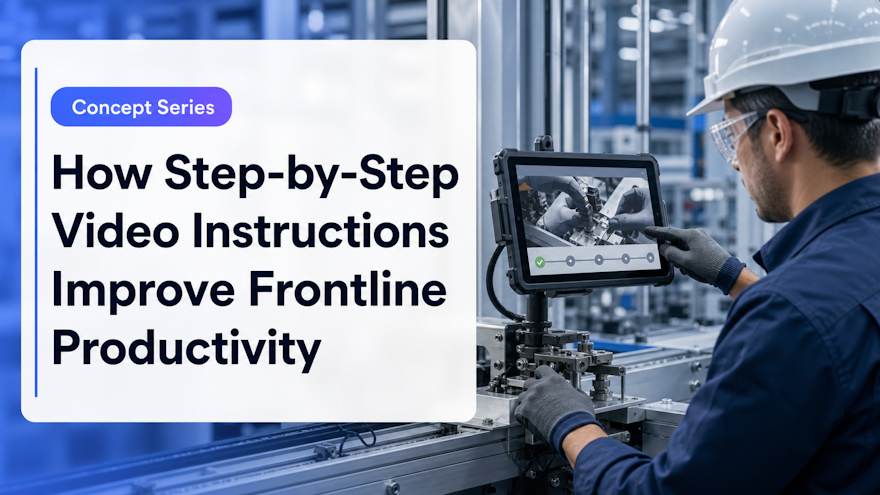
Frontline productivity does not come from asking people to work faster. It comes from removing uncertainty, delays and preventable rework. Step-by-step video instructions can make expert guidance easier to find and apply—provided they are accurate, contextual and connected to the organization’s controlled way of working.
What are step-by-step video instructions?
Step-by-step video instructions are short, task-focused demonstrations that show an employee how to complete an activity in the correct sequence. They may combine live action, screen recording, close-up images, narration, captions, annotations, warnings and links to supporting documents. Unlike a general training video, each asset answers a specific question at or near the moment of work.
For example, a technician might open a two-minute instruction for checking a sensor after an alarm. A packaging operator might review the approved changeover sequence. A field employee might confirm how to document an inspection. The content should match the employee’s role, site, equipment and task—not present one generic explanation to everyone.
Video instructions should remain connected to the authoritative SOP or work instruction. They are a visual execution layer, not a competing source of truth. If the procedure changes, the linked video must be assessed and revised before employees rely on it.
How video guidance affects frontline productivity
It reduces search and interpretation time
Employees lose productive time when instructions are buried in a binder, shared drive or learning portal. Descriptive titles, role-based access and equipment-level delivery can shorten the path from question to approved answer. Visual demonstration also reduces the effort required to interpret movement, orientation and sequence from text alone.
It makes expert knowledge reusable
An experienced operator cannot coach every shift or site. Recording the expert’s correct method—including the cues they watch and the mistakes they avoid—turns one explanation into reusable support. The expert remains important for validation and coaching, while routine questions no longer depend entirely on their availability.
It supports more consistent execution
A standardized visual sequence helps teams align on the same method. That consistency can reduce variation during onboarding, changeovers, inspections and maintenance. It also gives supervisors a shared reference for feedback rather than relying on different verbal explanations.
It accelerates updates
Modular videos are easier to replace than long courses when one step changes. Teams can revise the affected segment, complete the required review and republish it without rebuilding unrelated content. This matters as organizations adopt new equipment and processes. The World Economic Forum’s Future of Jobs Report 2025 skills analysis says 50% of the workforce completed training in 2025, compared with 41% in 2023, and employers most often expect training investment to improve productivity and competitiveness.
Where step-by-step video instructions create the most value
Choose tasks where seeing the work materially improves comprehension. Strong candidates include:
- Equipment setup, inspection and routine maintenance
- Changeover and line-clearance sequences
- Assembly techniques and quality checkpoints
- Software or machine-interface workflows
- Safety preparation and correct use of controls or PPE
- Cleaning, sanitation and controlled-area practices
- Troubleshooting within an employee’s authorized scope
- Documentation, escalation and handoff procedures
Prioritize by frequency, safety or quality risk, knowledge scarcity, cost of error and time currently spent seeking help. Avoid filming a process simply because it is visually interesting. The asset should solve a defined execution problem and have a named operational owner.
Seven design principles for effective video instructions
1. Give each video one clear outcome
State what the employee will be able to do and the conditions that define success. “Perform the pre-use check and recognize three stop conditions” is more useful than “Understand the machine.” A narrow outcome keeps the recording concise and makes the right asset easier to retrieve.
2. Show the real context
Capture the correct equipment state, materials, tools and PPE. Use a wide shot to orient the viewer and close-ups for critical details. Protect confidential information visible on screens or records, and never introduce a hazard for the sake of filming.
3. Make decisions and warnings explicit
Do not show only the normal sequence. Explain what the expert checks, which conditions require stopping and when to escalate. Distinguish mandatory warnings from helpful tips through consistent visual treatment. Never publish an informal workaround that conflicts with the approved process.
4. Keep the sequence modular
Divide complex work into meaningful stages that can be found and updated independently. Use searchable titles such as “Verify guard alignment after changeover,” not “Module 3.” Add metadata for role, site, equipment, language and linked procedure.
5. Design for accessibility and language
Provide accurate captions, a transcript, readable contrast and labels that remain visible long enough to understand. W3C’s explanation of WCAG Success Criterion 1.2.2 describes synchronized captions as necessary for people who are deaf or hard of hearing to access prerecorded audio content. Captions also help in noisy workplaces. Translate from an approved source and have local SMEs review technical terms.
6. Test on the device used at work
A video that looks clear on a large office monitor may fail on a mounted tablet. Check sound, caption size, framing, navigation, connectivity and glove compatibility. Make it easy to pause, resume and return to a specific step without losing context.
7. Validate with a representative employee
Ask a learner to locate the instruction and demonstrate or simulate the task. Observe hesitation and misunderstanding instead of relying only on preference questions. Technical accuracy, safety, quality and accessibility reviews should be complete before broad release.
Video instructions are part of training—not a replacement for practice
Point-of-work guidance supports memory and execution, while training develops understanding and skill. High-risk or regulated activities may require formal instruction, supervised practice and an evaluation of competence. OSHA’s education and training guidance recognizes peer-to-peer instruction, on-the-job training and worksite demonstrations as effective methods for teaching hazards, controls and good practices.
Connect the video to a role-based pathway, assessment and observation checklist when needed. Employees should know whether the asset is preparatory learning, approved execution guidance or a refresher. Speach’s role-based training and SOP-to-training workflow help link controlled sources to relevant learning and job aids.
Governance, safety and compliance
Every video needs an owner, technical reviewer, approval status, version, effective date, source-document reference and next review date. Define which events trigger reassessment: equipment or material change, procedure revision, incident, deviation trend or regulatory update. Employees should see the effective version while authorized teams retain the history.
Access should reflect role and site. Audit trails, permissions and electronic acknowledgements may be necessary depending on the process. Speach’s security and compliance capabilities support enterprise governance, while the mobile app brings controlled guidance closer to frontline work.
Safety remains the first constraint. OSHA states that education and training help workers perform safely and be more productive, but generic media does not remove an employer’s responsibility to provide job- and worksite-specific instruction. Video should clarify approved practice, not encourage employees to troubleshoot beyond their authorization.
How to measure the productivity impact
Begin with a baseline for the chosen task. Measure time spent searching for guidance, calls to supervisors, task cycle time, time to qualification, first-time-right rate, errors, rework or downtime. After deployment, track successful searches, use by role, assessment performance and points where employees replay or abandon the instruction.
Interpret the results carefully. A faster cycle that increases defects is not productivity. Pair speed with quality and safety measures, and record other operational changes during the pilot. Search queries with no useful result reveal missing content; repeated rewinds may reveal a difficult step; low adoption may indicate poor access or lack of supervisor support.
Review results by role, shift and site instead of relying only on an enterprise average. One team may benefit while another lacks device access, translated content or sufficient coaching. Combine platform data with short observations and supervisor interviews. This helps distinguish a content problem from a workflow, equipment or management problem—and keeps training from being used as the default answer to every performance gap.
A practical four-week pilot
- Week 1: select three to five high-value tasks, document the baseline and assign owners.
- Week 2: record SMEs in context and create short, captioned, step-based videos.
- Week 3: complete technical and governance reviews, then test with representative employees.
- Week 4: deploy to one role or area, measure use and operational results, and correct the workflow before scaling.
The objective is not to build the largest video library. It is to make the correct knowledge available when work must be performed. Start with a measurable friction point, create trustworthy guidance and improve it from real evidence.
Speach’s AI Training Generator helps enterprise teams turn procedures and expert knowledge into visual training, assessments and execution guidance. See more video-course creation advice, or request a demo.