
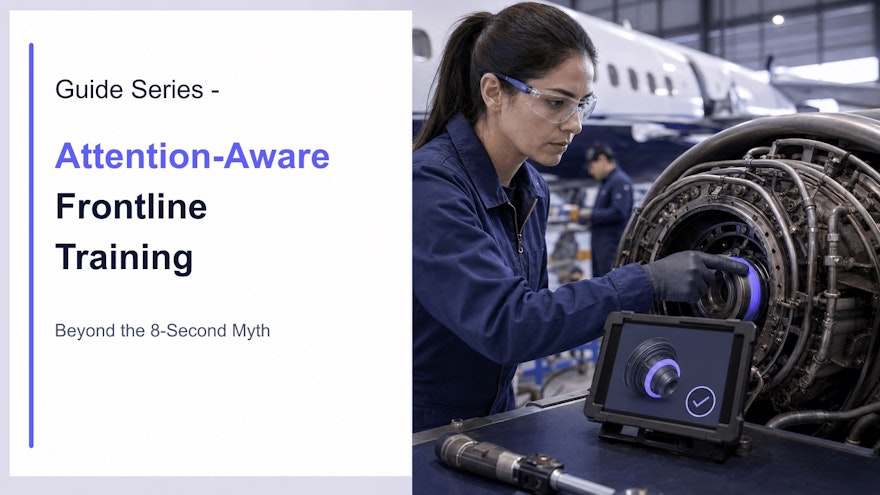
Why the eight-second attention-span claim is not a design rule
The claim that the average human attention span has fallen to eight seconds—less than a goldfish—has circulated for years. It is memorable, but it is not a sound basis for training design. There is no single context-free measure that defines how long every person can attend.
Someone may dismiss an irrelevant notification almost immediately, monitor a production process for an extended period, follow a complex demonstration, or become absorbed in solving a problem. Attention changes with goals, expertise, consequence, clarity, fatigue, environment and competing demands.
The original article also repeated precise claims about visual processing, retention and universal microlearning duration that were not supported well enough to guide enterprise decisions. Replacing them does not weaken the case for focused visual learning. It shifts the case from viral statistics to observable performance.
This article owns attention-aware design and interruption conditions. The visual SOP guide owns evidence-based visual procedure design. The learning-transfer guide owns practice across time, and the frontline microlearning guide owns the broader use of short learning. These boundaries prevent SEO cannibalization.
What attention means in workplace learning
Attention is selective. Employees must choose which information to process while ignoring other signals. In a frontline environment, some competing information is not distraction—it may be an alarm, product condition, colleague or safety requirement. Training should respect the primary work context.
Useful distinctions include:
- Orienting: noticing that a relevant cue or change exists;
- Selective attention: focusing on the feature that matters while filtering noise;
- Sustained attention: maintaining performance during monitoring or a longer task;
- Switching: moving between tasks and resuming with the correct context;
- Executive control: resisting an easy but inappropriate response and applying the rule.
A video that captures orienting attention with motion may still fail if it highlights the wrong element. A learner may complete a module while missing the critical limit. A short quiz may direct attention to trivia instead of the workplace decision. Engagement and attention are not synonyms for entertainment.
Cognitive load also matters. A task has inherent complexity; the learner brings prior knowledge; and the design can add avoidable effort. Dense screens, simultaneous narration and unrelated text, decorative animation, confusing navigation and distant legends consume capacity that should support learning.
Seven attention-aware design principles
1. Lead with the job outcome
Tell the employee what they will be able to recognize, decide or perform and why it matters to their role. “By the end, you can identify the two conditions that require stopping the line” creates a useful attentional set. “Welcome to the annual quality module” does not.
Remove history, branding and explanation that do not support the objective. Place optional depth in a reference rather than forcing every learner through it.
2. Segment at meaningful boundaries
Divide content by task, decision, phase or concept—not by an arbitrary number of minutes. One segment should form a coherent mental unit. A 90-second explanation can be too long if it mixes five objectives; a 12-minute demonstration can be appropriate if interruption would hide the integrated process.
Give learners visible structure and control: section names, progress, pause, replay and resume. Include a concise recap when they return after interruption.
3. Signal the critical cue at the right moment
Use a restrained arrow, crop, highlight, zoom or verbal cue when the relevant feature appears. In a 2022 eye-tracking experiment using chemistry videos, dynamic signals directed attention to relevant representation features, reduced extraneous cognitive load and improved retention. The context differs from workplace training, so apply the principle and verify it with target users.
Do not highlight everything. Consistent accent meaning is essential: a violet cue may indicate “notice this,” while red remains reserved for a warning or stop condition.
4. Remove seductive details
Interesting but irrelevant stories, imagery, music or animation can draw processing away from the objective. Experimental studies of multimedia learning have found that such “seductive details” can impair recall or transfer under some conditions.
Brand polish has a place, but it should establish credibility and orientation without competing with the task. Ask of every element: does it help the learner notice, understand, decide, remember or act?
5. Require a meaningful response
Attention becomes visible when the learner must use information. Pause before the expert acts and ask what should happen next. Show a condition and ask whether to continue, correct or escalate. Let the learner locate a defect or select the right record.
In a workplace experiment, employees who answered questions during a training video performed better on a memory test the following day than employees who only viewed the video. Structured discussion also helped. The value came from purposeful retrieval and processing, not clicking for its own sake.
For detailed branching and feedback design, use the interactive video training guide.
6. Match media to the information
Use video for motion and technique, photographs for visible states, diagrams for relationships, text for exact limits and searchable detail, and scenarios for decisions. More media is not automatically better. Combining formats helps when they complement one another and are synchronized.
Make captions available for noisy environments and accessibility. Avoid showing paragraphs while narration says the same words and the employee must also watch a complex action. If exact wording matters, provide a transcript or linked controlled source.
7. Connect learning to execution
Employees cannot remember every infrequent detail. Provide approved point-of-work guidance where permitted: a visual checklist, equipment-linked instruction, decision flow or searchable answer with source status. Training prepares the person to interpret and use support; the job aid reduces unnecessary recall during work.
Keep learning and job aids linked to the controlled source and its version. A concise asset that becomes obsolete is an attention-efficient way to deliver the wrong instruction.
Design visual and video training for focus
| Design question | Attention-aware choice | Common failure |
|---|---|---|
| What should the learner notice? | Show and signal one relevant cue | Busy scene with equal emphasis |
| What changes over time? | Demonstrate motion with pause and replay | Long unchaptered video |
| Which words must be exact? | Place concise text near the object or decision | Remote legend or narrated paragraph |
| What requires judgment? | Pause for a realistic choice and feedback | Trivia recall question |
| What can interrupt? | Use coherent sections and reliable resume | Restarting the entire asset |
| What happens at work? | Provide approved point-of-use support | Expecting complete memorization |
Camera perspective should support the task. Use the performer’s viewpoint for hand position and orientation, a wide shot for surroundings and a close-up for quality attributes. Keep cuts purposeful. Dramatic editing that hides continuity may increase excitement while reducing instructional clarity.
Audio should be intelligible in the delivery context. Normalize volume, remove distracting background noise and avoid music during critical verbal information. Captions need accurate terminology and timing, especially in multilingual or regulated training.
Speach’s visual content creation capabilities support video work instructions, narration, assessments and interactive formats, while role-based training helps reduce irrelevant assignments.
Protect attention in the flow of work
Instructional design cannot compensate for an environment optimized for interruption. If an employee is expected to complete qualification while monitoring production, responding to messages and answering calls, divided attention is a system choice.
Separate learning modes:
- Protected qualification: scheduled time and conditions for learning, practice and assessment;
- Planned refresher: concise preparation before an infrequent or changed task;
- Point-of-work support: fast access that does not create a hazardous distraction;
- Urgent communication: a distinct channel reserved for information requiring immediate action.
Notification research shows that interruptions from communication applications can affect strain and performance, with individual and contextual differences. Do not convert the learning platform into another stream of undifferentiated alerts. Prioritize by role, risk, effective date and work schedule.
Design resumption. Save progress, show the last completed step and provide a short context recap. For a procedure in progress, the recovery point may need to reflect equipment or product state—not simply the last screen viewed.
Deliver content on the device employees can safely and practically use. A beautifully designed desktop module may fail on a shared workstation, gloved tablet or low-bandwidth site. Test the actual environment.
Attention in regulated and critical training
Attention-aware design in regulated work begins with risk. Give critical controls visual and structural priority: prerequisites, limits, warnings, prohibited actions, independent checks, expected results and escalation.
Do not shorten away context that prevents misuse. A job aid for a qualified operator should state its intended audience and may not be safe for an unqualified employee. A demonstration should not show an unsafe alternative without immediate and unmistakable correction.
Control every derivative. Link video, captions, questions, translations and job aids to the approved source and applicable version. Review the technical details visible in every frame. When a procedure changes, assess all affected assets and prevent obsolete guidance from remaining at the workstation.
Comprehension matters more than attendance. OSHA’s policy for required safety training emphasizes language and vocabulary workers understand and whether they can apply information to workplace conditions. Use terminology, examples, captions and translations appropriate to the role, and verify understanding with decisions or performance.
For critical physical tasks, viewing and questions may be preparation, not qualification. Require supervised practice and observation according to risk. Attention is necessary for performance but does not prove competence by itself.
Measure learning and execution—not assumed attention
Viewing time, clicks and completion can help diagnose delivery, but they do not establish attention. A learner may replay a difficult segment, leave a video running or pass an obvious question without understanding the task.
Use a measurement chain:
- Delivery: access, device failures, interruptions, pause and resume patterns;
- Processing: meaningful responses, replay around critical cues and confidence;
- Learning: decision accuracy, explanation and delayed checks;
- Readiness: observed practice and time to independent performance;
- Execution: critical errors, correct escalation, first-time quality and support demand;
- Maintenance: update latency and exposure to obsolete assets.
Look for design problems, not employee blame. Drop-off at one point may signal irrelevant content, a technical issue, an inconvenient work moment or a confusing explanation. Repeated incorrect choices may reveal a weak question, conflicting source or genuine process ambiguity.
Test improvements with comparable users and tasks. The goal is not to maximize continuous screen attention. It is to help employees allocate attention to the information and conditions that produce correct, safe and compliant execution.
Frequently asked questions
Do humans really have an eight-second attention span?
No credible evidence supports one universal eight-second human attention span or the goldfish comparison. Attention varies with task, relevance, goals, environment, expertise and fatigue.
Does shorter training automatically improve attention?
No. Short content can reduce unnecessary load, but it can also fragment a process or remove critical context. Duration should follow the objective and task.
How can visual training direct attention?
Use relevant demonstrations, close-ups and restrained signals that appear when the critical feature matters. Remove decorative elements that compete with the task.
How should frontline training handle interruptions?
Provide clear segments, pause and resume, visible progress, concise recaps and point-of-work access. Protect qualification time and avoid nonurgent delivery during critical tasks.
How do you measure attention in training?
Do not infer attention from viewing time alone. Combine interaction patterns with decision accuracy, delayed checks, observed execution, errors, escalation and employee feedback.
Sources and further reading
- Rodemer et al.: dynamic signals in instructional videos
- Kok et al.: science-of-learning techniques in workplace video training
- Rey: seductive details and attention distraction
- Fischer et al.: communication notifications, strain and performance
- OSHA: training in language and vocabulary workers understand
Direct attention toward execution
Speach transforms SOPs, policies and expert knowledge into role-based training, visual workflows, interactive videos, assessments and digital job aids—with multilingual delivery, version control, audit trails and enterprise integrations. Request a demo to deliver focused knowledge at the moment it matters.