
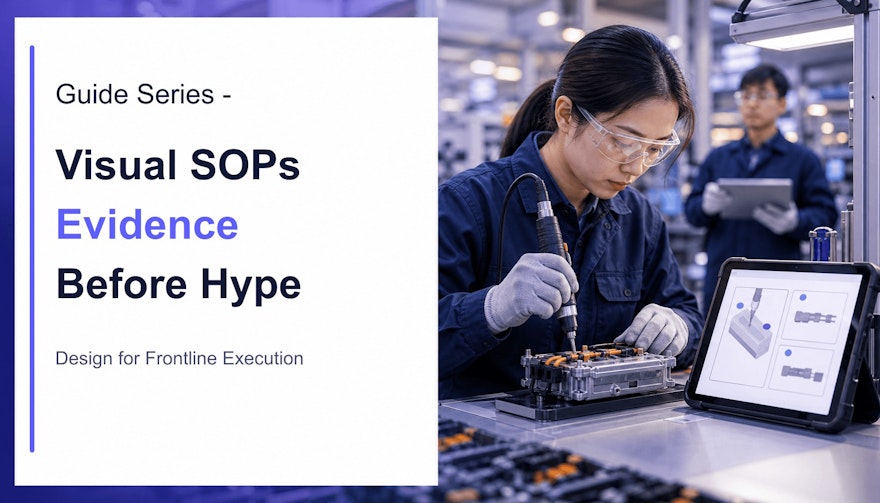
Visual SOPs are an execution format, not a magic effect
A standard operating procedure preserves the approved way to perform work. A visual SOP represents that procedure through photographs, diagrams, animation, screen recordings or video, usually combined with concise text and audio. Its value comes from matching information to the task—not from a universal preference for pictures.
Text is excellent for searchable definitions, exact limits, responsibilities and exceptions. A still image can reveal the correct orientation of a component. A first-person video can demonstrate hand position and movement. A decision flow can make escalation logic visible. The strongest instruction often combines formats while giving each one a clear job.
This distinction matters for knowledge execution. Employees do not merely need exposure to information; they need to retrieve and apply the right knowledge in a real context. The visual SOP should connect the controlled source, the employee’s role, the workplace conditions and evidence of correct performance.
For the document-to-content workflow, see Speach’s guide to generating training from SOPs with AI covers the document-to-content workflow, while the microlearning neuroscience article explains memory mechanisms.
What research supports about visual work instructions
1. Show information that words make difficult to imagine
Visuals are especially useful when the learner must understand where an object belongs, how parts relate, what a correct state looks like or how a movement unfolds. The benefit does not come from decoration. It comes from externalizing information that an employee would otherwise have to construct mentally from prose.
Use close-up photographs for state and position, diagrams for hidden relationships, and motion for changes over time. Keep labels next to the relevant object. If a worker must repeatedly look between a remote legend and an image, the design adds unnecessary search.
2. Guide attention to what matters
A busy workstation contains more information than a novice knows how to prioritize. Visual signaling—such as a restrained highlight, arrow, crop or timed callout—can direct attention to the relevant control, contact point or change in state. In a 2022 eye-tracking experiment, dynamic signals helped participants focus on relevant features in complex instructional videos, improved retention and reduced extraneous cognitive load. The study involved chemistry representations, so it should inform design rather than be treated as a guaranteed manufacturing effect.
Signals should explain what to notice, not compete for attention. Use one accent system consistently. Reserve red for a real warning, not general emphasis. Remove animated decoration, dramatic transitions and stock imagery that does not support the action.
3. Let users control transient demonstrations
Video disappears as it plays. That makes it powerful for movement but difficult when an employee needs to compare several states, read a value or repeat a complex manipulation. Controls such as pause, replay, speed and step navigation let the user adapt the demonstration.
In an experimental study of nautical-knot instruction, participants using interactive video could stop, replay, reverse and change speed. They allocated more attention to difficult sections and acquired the skills more efficiently than users of non-interactive video. That result supports controllable demonstrations for procedural learning; it does not prove that every video beats every document.
4. Use a viewpoint that supports imitation
Camera perspective changes what a demonstration teaches. For an assembly task, experiments reported better accuracy when learners saw a first-person rather than third-person video model. A performer’s-eye view can reduce the mental transformation needed to map the demonstration onto one’s own hands and workspace.
Use first-person or over-the-shoulder framing for manipulation and orientation. Add a wide establishing shot when surroundings, people or hazards matter. Use a macro close-up for a connector, indicator or quality attribute. Do not hold one cinematic shot when the instructional question changes.
5. Pair demonstration with practice and feedback
Watching is not the same as performing. The U.S. National Institute of Standards and Technology describes Training Within Industry Job Instruction as a four-step approach: prepare, present by showing and telling, test through trial performance, and follow up. That sequence turns a demonstration into coached execution.
For a safety-critical or quality-critical task, require the employee to perform under appropriate supervision. Assess observable behavior, decisions, results and records. A completion check proves that media played; it does not prove that the procedure can be executed.
6. Deliver support at the moment of need
Training prepares people before work. A digital job aid supports them during work. A QR code, equipment-linked instruction or contextual system prompt can reduce the distance between a question and the approved answer. Point-of-work support is most useful for infrequent tasks, branching decisions, setup variations and easily confused steps.
Access must never obscure status. Employees should know whether they are viewing the current approved instruction, an explanatory learning asset or an uncontrolled reference. Offline access, permissions and synchronization require explicit design.
Five visual-learning claims to retire
Retiring these claims does not weaken the case for visual SOPs. It makes the business case stronger. Instead of promising universal brain hacks, test whether a specific design reduces errors, improves independent performance and makes the approved method easier to execute.
How to design a visual SOP for frontline execution
Step 1: define the task and execution risk
Start with one observable job outcome. Identify the performer, prerequisites, starting state, tools, environmental constraints and expected result. Mark the steps where an error could affect safety, quality, data integrity or compliance. Those points deserve the clearest demonstrations and strongest validation.
Step 2: break the work into actions, key points and reasons
A useful task analysis separates what to do from what makes the step succeed. “Install the seal” is an action. “Keep the marked side facing outward” is a key point. “Reverse installation can compromise integrity” is the reason. This structure gives authors a shot list and gives reviewers a way to verify instructional completeness.
Step 3: storyboard the decisions, not just the happy path
Many weak work instructions record an expert performing a perfect sequence. Real execution includes uncertainty: a reading is out of range, a component is damaged, a screen differs, or a prerequisite is missing. Show the acceptable state and the stop condition. State who can decide, what must be documented and where to escalate.
Step 4: capture the performer’s view
Record in the authentic environment when permitted. Remove confidential or personal data. Verify PPE, labels, equipment state, technique and housekeeping before recording. Use stable framing, adequate light and clear sound. Capture inserts for important details rather than relying on digital zoom.
Step 5: write concise, synchronized language
Narration should explain the action and the reason at the moment they appear. Captions support accessibility and use in noisy environments. Avoid reading long on-screen paragraphs aloud while an unrelated action occurs. Define acronyms and keep controlled terminology consistent across SOPs, interfaces, labels and translations.
OSHA’s training policy states that required information must be presented in a language and vocabulary workers can understand. Comprehension is the standard—not the existence of a signed attendance sheet. The same practical principle improves operational instruction beyond the specific OSHA standards it addresses.
Step 6: add retrieval and practice
Use questions and scenarios for decisions; use observed performance for physical skills. Ask employees to locate information in the job aid, diagnose an abnormal state and demonstrate escalation. Provide feedback that points to the approved rule, not just “correct” or “incorrect.”
Step 7: test with representative users
Give a draft to someone who matches the intended role and experience. Observe without coaching. Record hesitations, misinterpretations, camera-angle problems and missing exceptions. Experts often omit steps that have become automatic; user testing makes tacit knowledge visible.
Choose the right format for each execution need
| Need | Best-fit visual format | Design caution |
|---|---|---|
| Recognize an acceptable state | Labeled photograph or comparison | Use representative, approved examples |
| Perform a movement or technique | Controllable first-person video | Show pace, position and critical close-ups |
| Follow a short stable sequence | Illustrated step card or digital job aid | Keep prerequisite and stop points visible |
| Make a conditional decision | Flowchart or branching scenario | Define authority, limits and escalation |
| Use business software | Annotated screen recording | Maintain it when the interface changes |
| Understand system relationships | Diagram plus concise explanation | Do not confuse a simplified model with the control source |
| Qualify a critical physical skill | Demonstration, coached practice and observation | Video completion alone is insufficient |
Speach supports video work instructions and visual content creation, along with role-based pathways, assessments and digital job aids. For production use cases, explore manufacturing training software and role-based training.
Validate and govern visual instructions
In regulated enterprises, a compelling video can still be wrong. Define whether the asset is the controlled instruction, a controlled derivative or supplementary learning. Link it to the authoritative source, applicable role, site, equipment and version. Record review, approval, effective date and retirement status.
Review every frame for technical fidelity. Check sequence, settings, units, tools, PPE, warnings, data entry, records and end state. AI-generated imagery must not invent equipment controls, product conditions or compliant actions. Translations require terminology management and qualified review appropriate to risk.
Change control should identify every affected visual, caption, narration track, assessment and translation when a procedure changes. Prevent obsolete assets from appearing in search or at the workstation. Preserve historical versions when required for audit or investigation.
Design for access as well as approval: captions, readable type, contrast, keyboard controls, transcripts and alternatives for users who cannot see or hear the demonstration. A multilingual workforce may need localized language, but the visual itself can also contain culture-specific symbols, gestures or assumptions that require review.
Measure frontline execution, not content attractiveness
Compare the new visual instruction with a meaningful baseline. Use representative tasks and users, and define success before rollout.
- Readiness: time to independent performance and number of coached attempts;
- Accuracy: first-pass success, critical errors and correct sequence;
- Judgment: recognition of abnormal conditions and correct escalation;
- Operations: rework, scrap, downtime and support requests where relevant;
- Quality: documentation errors, deviations and recurring investigation themes;
- Findability: search success, time to approved guidance and failed retrievals;
- Maintenance: update time and exposure to obsolete content.
Use caution with attribution. A reduction in errors may reflect equipment, supervision, staffing or process changes as well as instruction. Combine platform analytics with observation, quality data and employee interviews. The best evidence is not a generic neuroscience percentage; it is a defensible improvement in the work the SOP controls.
That is the role of visual SOPs in a knowledge-execution strategy: translate controlled knowledge into a format suited to the task, deliver it to the right role at the right moment, and connect use to performance and governance.
Frequently asked questions
What is a visual SOP?
A visual SOP is a governed procedure or procedural aid that combines concise words with relevant photographs, diagrams, animation or video to show actions, conditions, decisions and expected results.
Are visual SOPs always better than written SOPs?
No. Visuals help when they clarify spatial, physical or time-based information. Searchable text is often better for definitions, limits and detailed reference. Use the combination the task requires.
Do video work instructions replace controlled SOPs?
Not automatically. In regulated work, a video or job aid may be a controlled derivative linked to the authoritative SOP, its version, approvals and change process.
How long should a visual work instruction be?
Long enough to cover one coherent task or decision without hiding critical context. Segment complex work into navigable steps instead of targeting an arbitrary duration.
How should visual SOP effectiveness be measured?
Measure task accuracy, critical errors, time to independent performance, correct escalation, first-time quality and support demand, alongside learning data.
Sources and further reading
- Schwan and Riempp: interactive video for learning procedural skills
- Rodemer et al.: dynamic signaling in instructional video
- Fiorella et al.: first-person video modeling for an assembly task
- NIST: Training Within Industry and Job Instruction
- OSHA: training in a language and vocabulary workers understand
Turn controlled procedures into frontline execution
Speach helps enterprises create visual workflows, AI-generated videos, assessments and digital job aids with role-based delivery, multilingual support, audit trails, electronic signatures and version control. Request a demo to make approved knowledge easier to execute.